
Specifications holds the project's written requirements, split into the sections the industry already uses so that other tools can point at them.
This topic includes:
Sections and divisions
A section is identified by its CSI MasterFormat number — 09 21 16 Gypsum Board Assemblies. The first two digits are the division, and sections are
filed under the division their number implies, so the register organises itself.
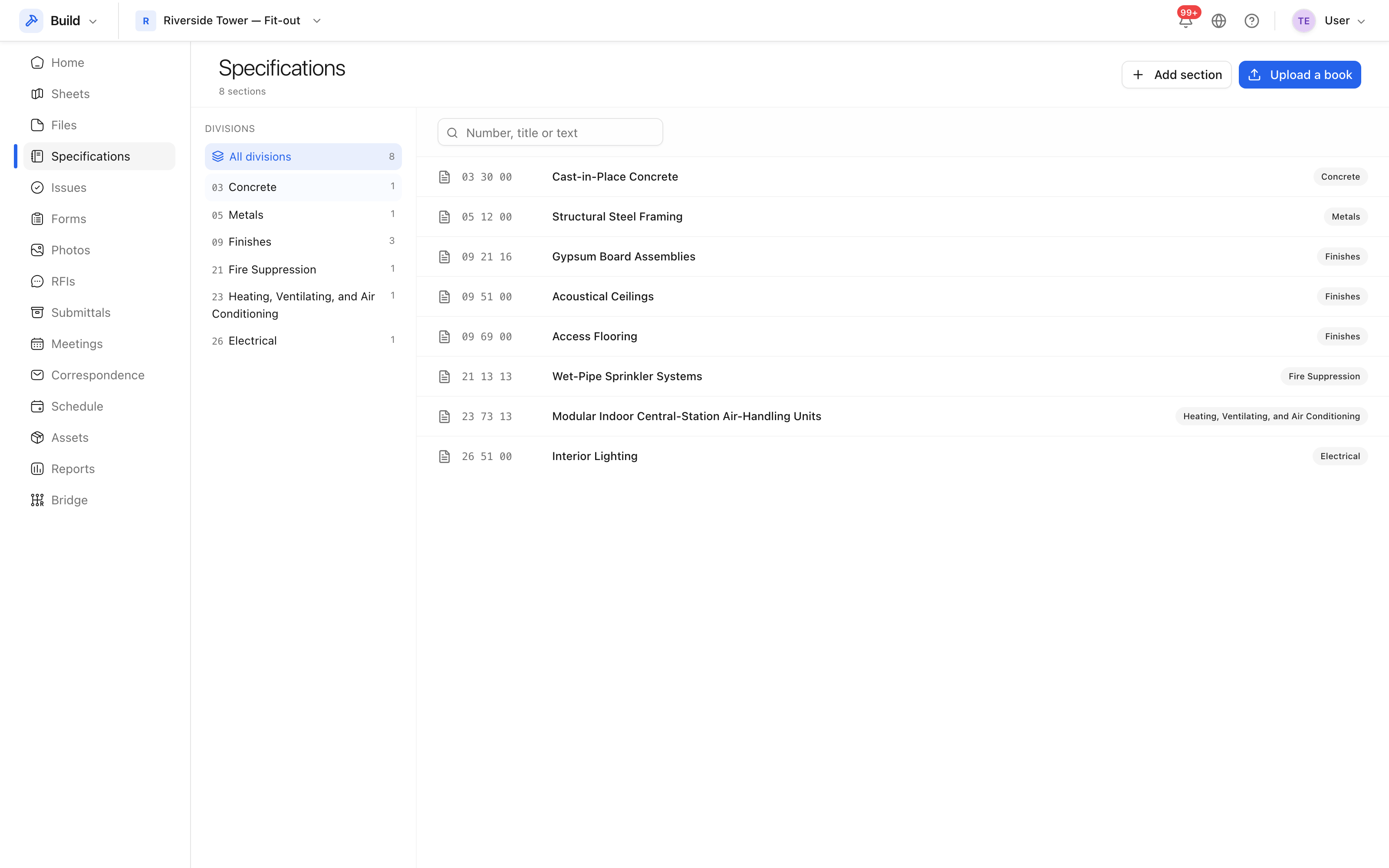 Sections, filed under the division their number implies.
Upload a spec book
A specification usually arrives as one long PDF rather than as separate sections. Upload it as a spec set and it is split automatically: the importer looks for section headings in the text, and files each section under its division with the page range it came from.
- Open Specifications.
- Upload the PDF as a new spec set.
- Review what was found. A heading the splitter misread can be corrected, and a section can be added by hand.
Note: a section added by hand belongs to no issued set, which is fine — that is how a late addition is recorded.
When a revised book is issued, upload it as a new set. The variance between sets shows what was added, removed or renumbered.
What links to a section
- Submittals are raised against a section.
- Correspondence threads can cite one.