
The specification arrives as one long PDF. SIDABuild splits it into sections, so the book becomes something the rest of the project can point at.
This topic includes:
Upload a book
- Open Specifications and click Upload a book.
- Choose the PDF and give the set a name — usually the issue it came with, such as "Tender issue" or "Construction issue".
- Set the issue date and save.
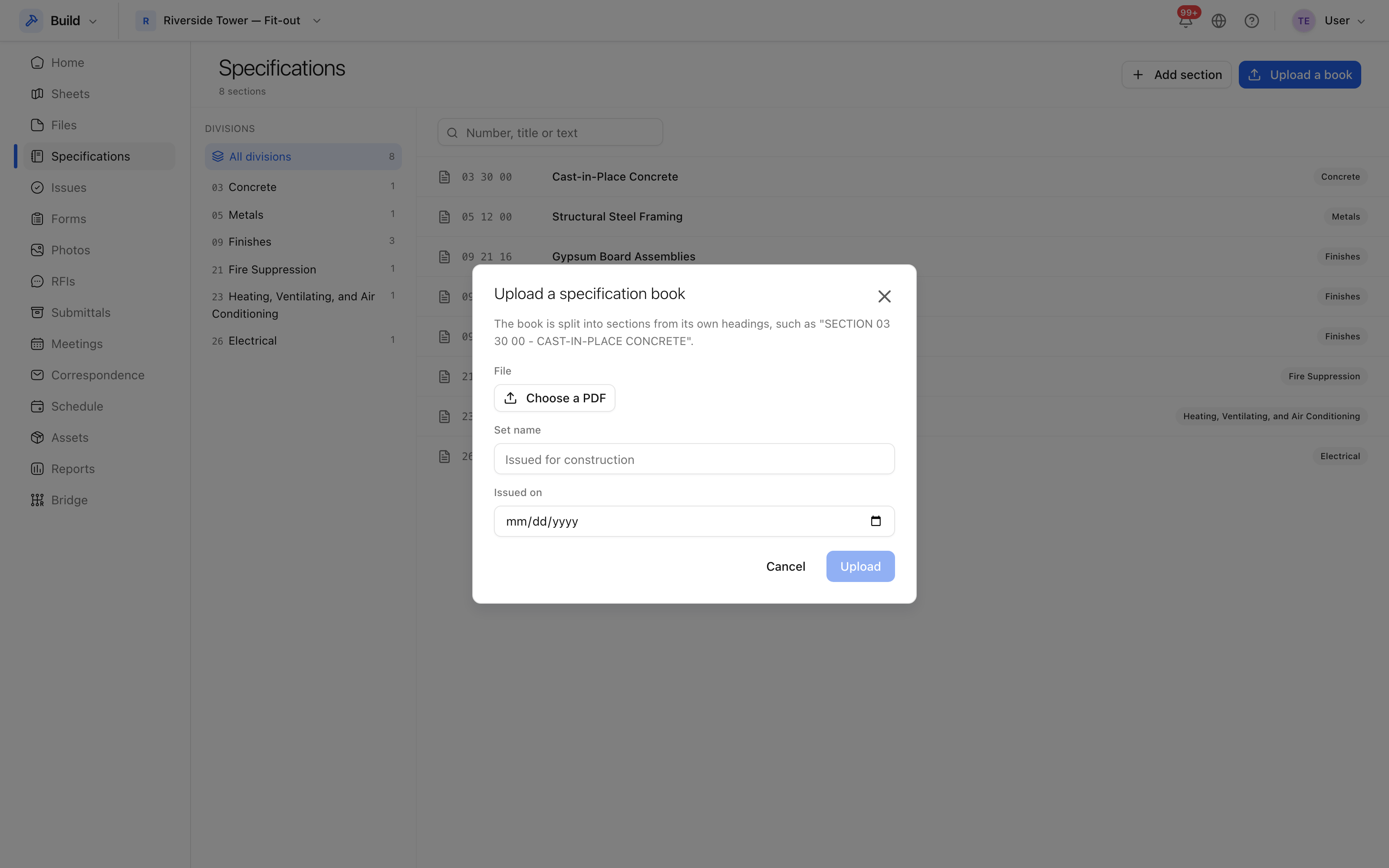 The book is uploaded once; the sections inside it are found automatically.
What happens to it
The book is read and split on its section headings, and each section becomes a row in the register with its number, title and page range. The original PDF is kept whole as well: Open in the book takes you to that section's pages in the document it came from.
Sections that could not be classified are listed as Unclassified rather than dropped, so nothing goes missing when a book is laid out unusually.
Add a section by hand
Where a section is missing, or the project works to a specification that never existed as a PDF, use Add a section: give it a number and a title, and it behaves like any other — submittals can be raised against it, and it can be filtered on.
Sets
Each upload is a set, and the register can hold several — the tender issue and the construction issue side by side. The set filter is what keeps them apart, and the current set is what new submittals point at.