
Locations is the project broken into places: buildings, levels, areas and rooms. Issues, photographs and assets are filed against a location, and that is what makes questions about a place answerable.
This topic includes:
The breakdown structure
The project is the root. Beneath it sit buildings, and beneath those levels, areas and rooms — as deep as the job needs.
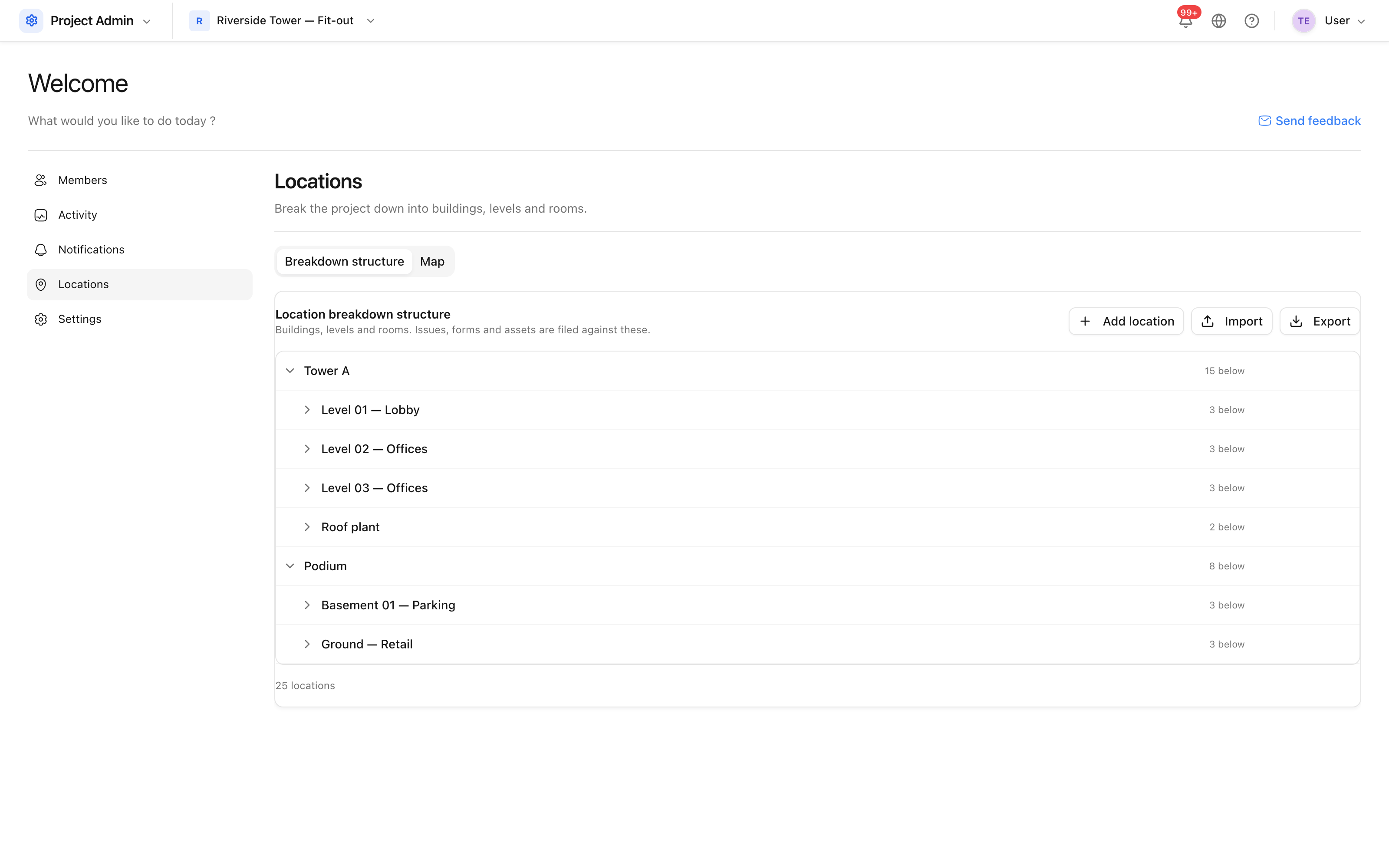 Tower A, its levels, and the rooms on each.
Every node has a path — Tower A > Level 02 — Offices > Open plan north —
which is what pickers elsewhere display, so Level 02 is unambiguous when three
buildings each have one.
Build it by hand
- Open Project Admin → Locations.
- Click Add location for a top-level node, or the + on a row to add one inside it.
- Rename or remove a node with the pencil and bin on its row.
Removing a node removes everything inside it. Records filed against those nodes keep their data but lose their location, so they will no longer appear in a search by place.
Import it from a spreadsheet
For anything larger than a few rooms, import instead. The spreadsheet needs one column, Path, holding the full path of each location:
Path
Tower A > Level 01 — Lobby > Reception
Tower A > Level 02 — Offices > Open plan north
Podium > Ground — Retail > Unit R1
Every level named in a path is created if it is missing, so one row can introduce a building, a level and a room at once. Rows that share a parent do not duplicate it.
Optional columns: Address, Latitude, Longitude, applied to the last node in the path.
Tip: importing the same file twice changes nothing. That is what makes it safe to correct a spreadsheet and import it again.
Export gives you the structure in the same shape, so exporting, editing and re-importing is a supported way to restructure in bulk.
The map
The Map tab is a different question — where the project is, geographically — and keeps the pins and addresses for that.