
Sheets is the project's drawing register. Each sheet has a number, a title and a history of versions, so the team can always find the current drawing and see what it replaced.
This topic includes:
What a sheet is
A sheet is one drawing, identified by its number — A-101, M-301. A
sheet holds one or more versions; the newest is the current one, and it is
what opens when somebody clicks the sheet. Superseded versions stay available,
because an issue raised against revision 1 has to keep pointing at revision 1.
The register
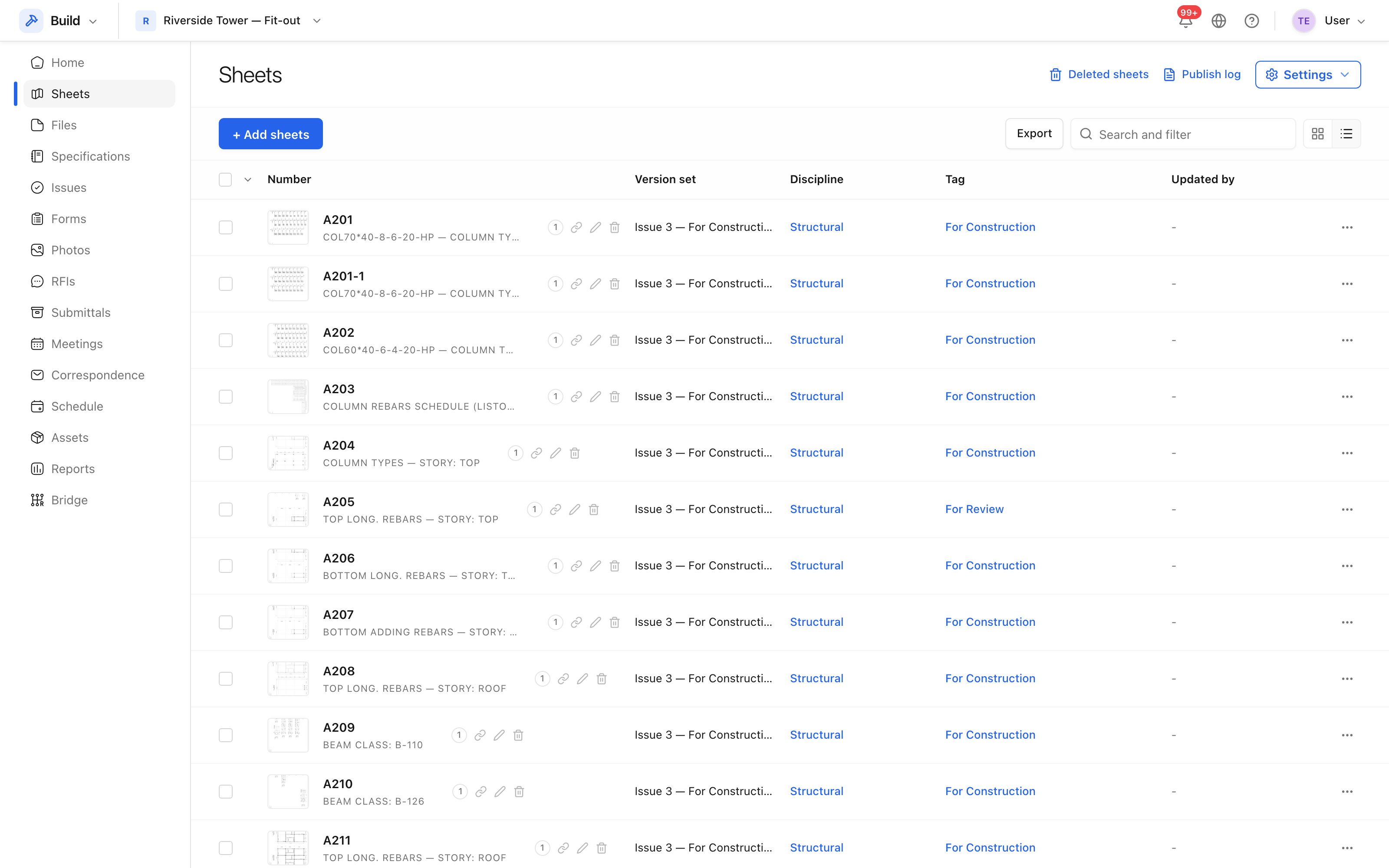 The register lists sheets by number, with the version set, discipline and tag
each one carries.
The register lists sheets by number, with the version set, discipline and tag
each one carries.
The columns are:
- Number and title — the sheet's identity, taken from its title block.
- Version set — the issue this version arrived in.
- Discipline — Architectural, Structural, Mechanical, Electrical, Plumbing, Fire Protection, and so on.
- Tag — free labels such as
For ConstructionorFor Review. - Updated by — who last published or edited it.
Beside the title: Deleted sheets for anything removed, Publish log for the history of every upload, and Settings.
Version sets
Drawings arrive in bundles, not one at a time. A version set names the bundle — "Issue 3 — For Construction" — and every sheet published together shares it. That is how the register answers "what changed at issue 3?".
Note: deleting a sheet is a soft delete. It moves to Deleted sheets and can be restored.