
An asset is a thing that gets installed and then has to be maintained: a plant item, a distribution board, a pump set. Registering it early is what makes handover a matter of exporting a list rather than compiling one.
This topic includes:
Add an asset
- Open Assets and click Add.
- Give it an asset id — the tag that is on the label:
AHU-03,DB-L02-A. It has to be unique on the project, and it is what everybody will quote. - Name it in words as well: "Air handling unit — Level 03".
- Set the kind, category, status and location.
- Save.
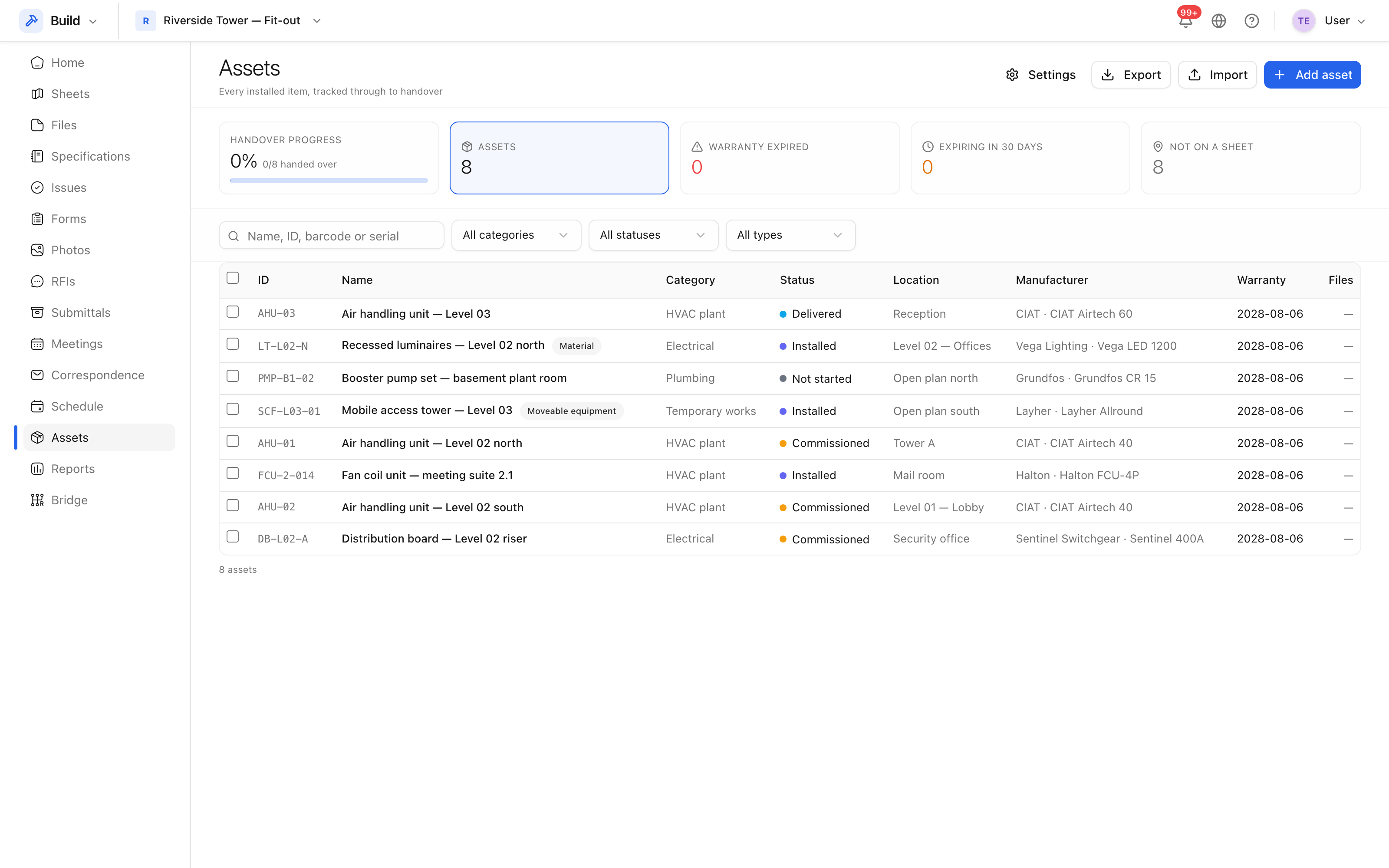 Tag, name, category, status and location, with search and filters above.
The fields that matter
| Field | Why |
|---|---|
| Asset id | The tag on the physical thing; unique per project |
| Kind | Material, component or equipment, or moveable equipment |
| Category | Groups the register — HVAC, electrical, plumbing |
| Status | Where it has got to in its lifecycle |
| Location | Which room or level it is in |
| Manufacturer, model, serial | What a maintenance contract needs |
| Installed, commissioned, warranty expiry | The dates handover asks for |
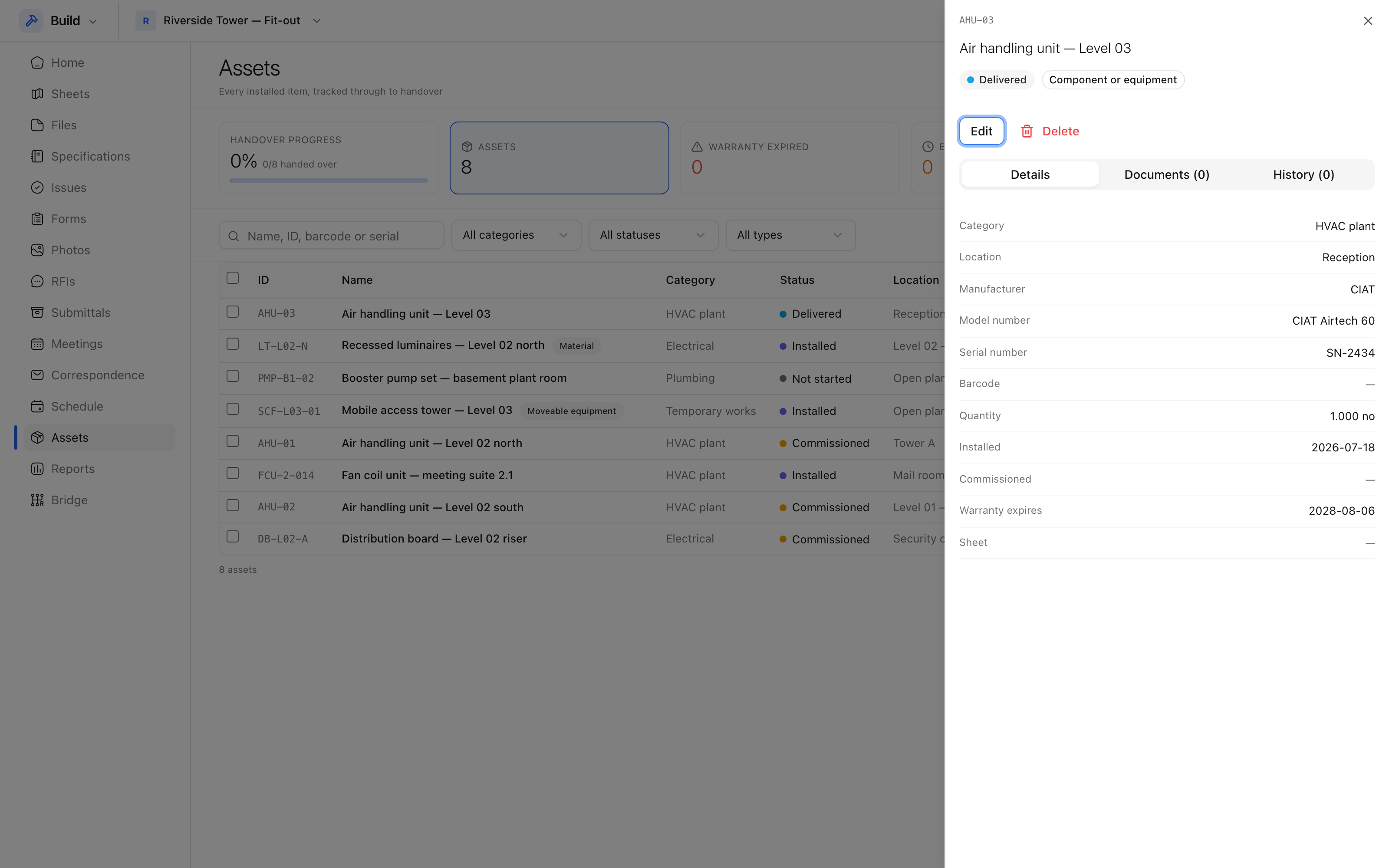 Everything recorded against one asset, including its attachments.
Categories and statuses
Both are defined per project in the asset settings, so the register matches how your job is organised rather than a fixed list.
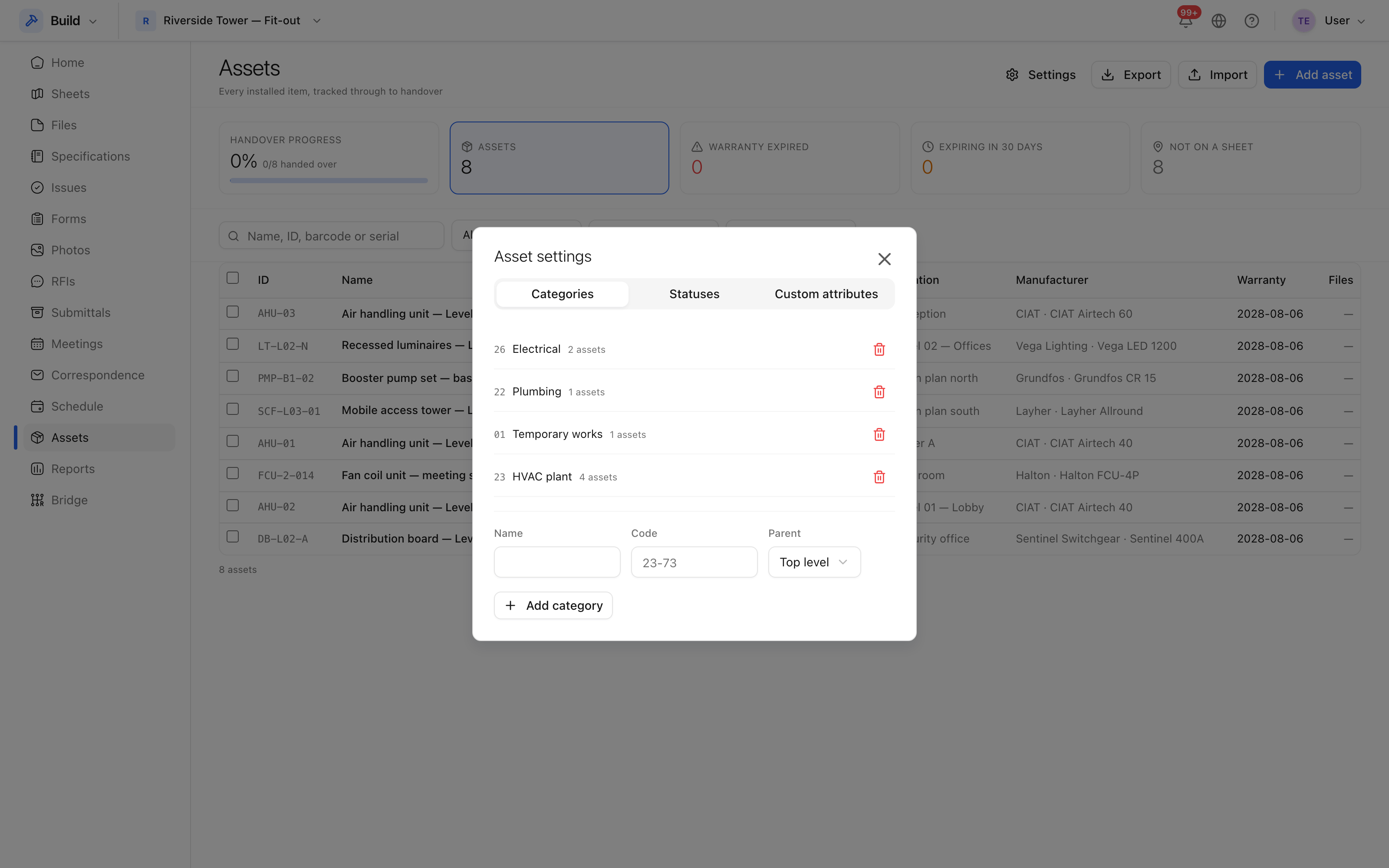 Categories, status sets and custom attributes.
A status set is the lifecycle an asset moves through — not started, delivered, installed, commissioned, handed over — with the last status marked as the one that means finished.
Import a list
Where the asset list already exists as a spreadsheet, import it rather than typing it. The import reports what it read and what it could not, and nothing is created until you accept the result.