
A project decides how loudly each tool speaks. Photos uploaded all day and a safety issue raised once a week do not deserve the same treatment.
This topic includes:
Set a tool's delivery
Open Project Admin → Notifications. Each tool has a row:
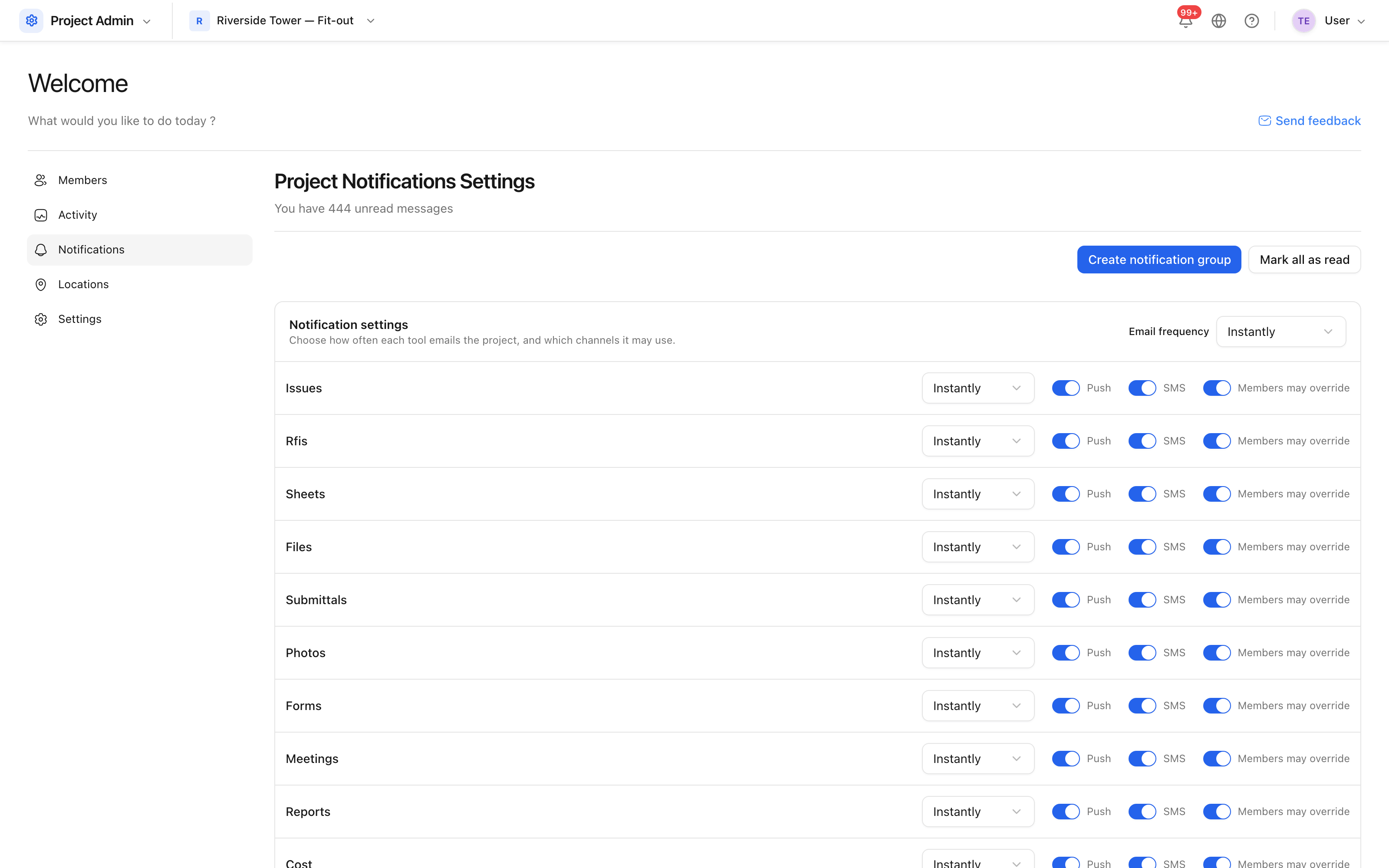
- Email frequency —
Instantly,Hourly,DailyorNever. The hourly and daily options batch that tool's notifications into a digest. - Push — whether that tool may send a mobile push.
- SMS — whether it may send a text message.
- Members may override — whether an individual can choose differently for this tool. Turn it off for the tools where the project's choice must hold.
Setting every tool at once
The Email frequency control in the header applies one frequency to every tool. While the tools disagree it reads Various, which is a statement of fact rather than a setting — pick a frequency and they all move to it.
Note: the in-app feed always receives the notification. Muting a tool stops the email, the text and the push; it does not empty the bell, because the bell is the record of what happened.