
This topic includes:
Raise it
- Open RFIs and click + Create RFI.
- Fill in the RFI Title — the question in a line.
- Choose an RFI type. The project's defaults for that kind fill in as soon as you pick one; edit any of them.
- Write the Description. This becomes the question, so ask it plainly and say what you need in order to proceed.
- Set the Manager, and the Reviewer if you know who should answer.
- Click Create.
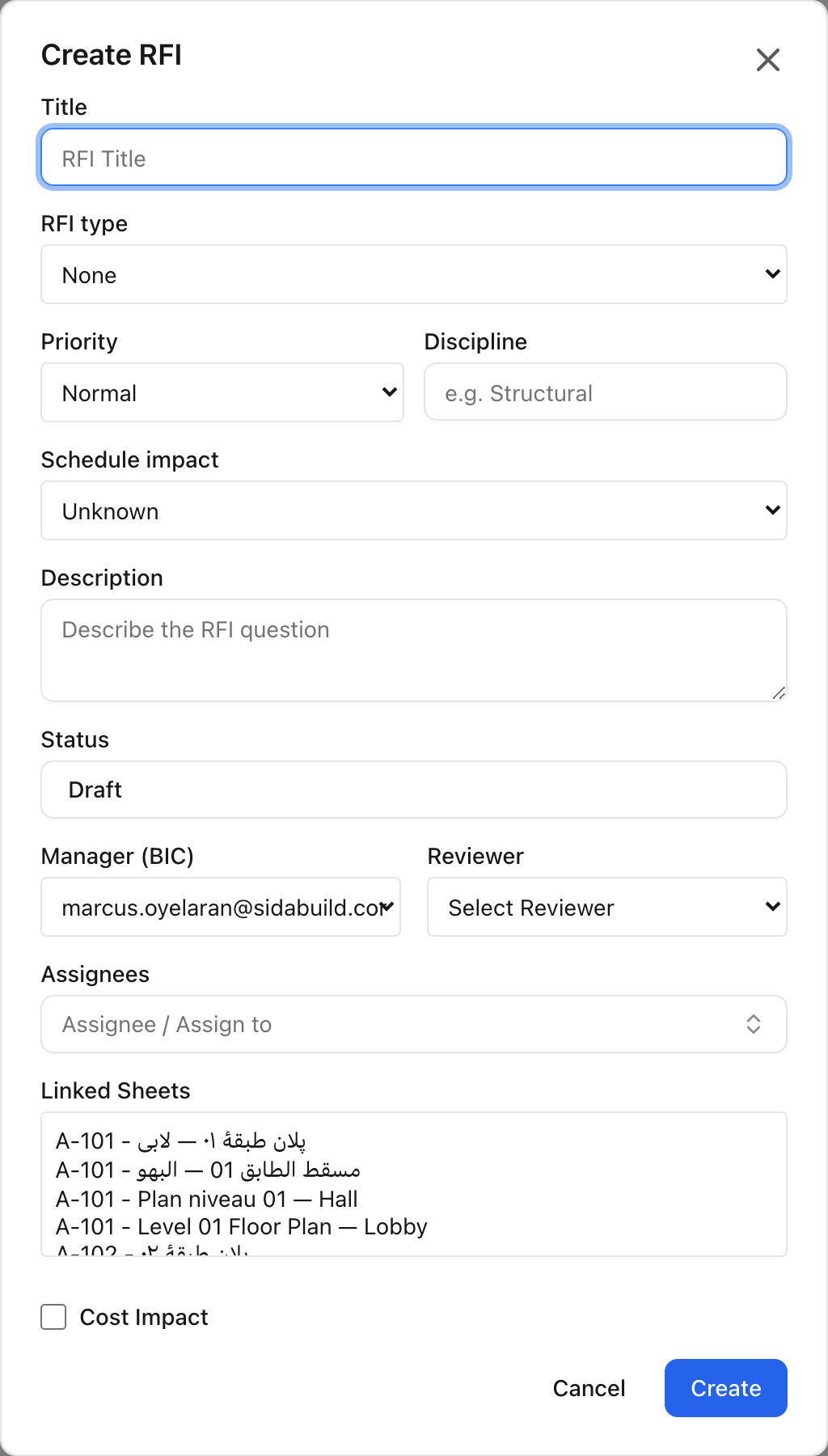 Choosing a type fills in that kind's priority, discipline and impact defaults.
Cost and schedule impact
- Cost Impact is a yes/no flag with an amount, for when a cost is known.
- Schedule impact is Unknown, Yes or No. It defaults to Unknown, which is usually the truth at the moment an RFI is raised — better an honest "not yet known" than a guess recorded as fact.
Update both as the answer comes in.
Answering and closing
The reviewer adds a response on the RFI's page. Setting the status to answered or closed records the official response; if none has been written, the last response is used. An RFI cannot be closed without one.