
An RFI is only worth raising if the answer comes back and lands where the site can find it. This is that half of the process.
This topic includes:
Open an RFI
Click the RFI in the register. Everything recorded against it opens alongside the list: the question, who it went to, the drawings it refers to, and any responses so far.
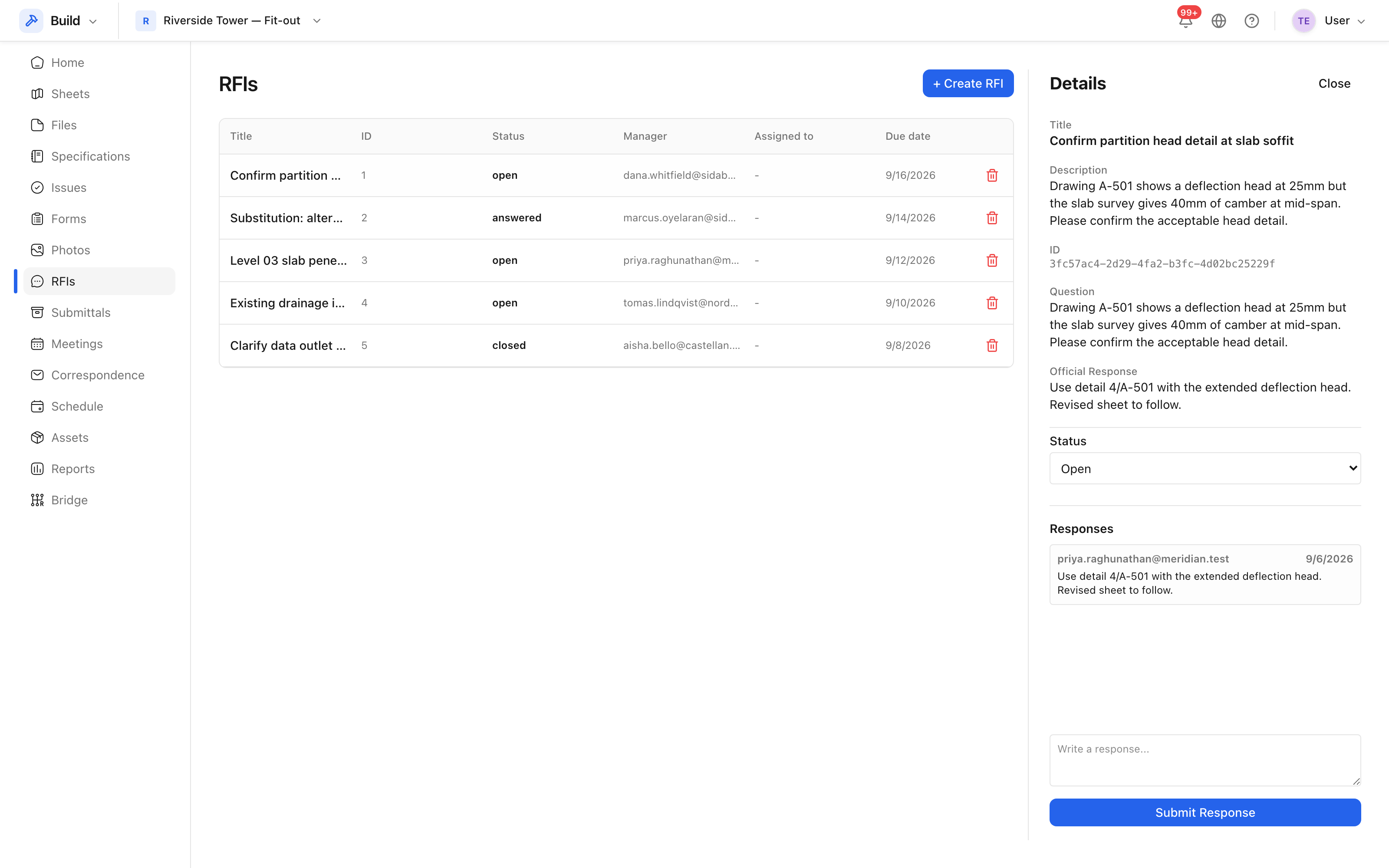 The question, its distribution, and the responses recorded against it.
Add the official response
- Write the response in the reply box. Answer the question that was asked — an RFI answered with "as per drawing" helps nobody.
- Attach the sketch or marked-up drawing if one was produced.
- Save. The RFI moves to answered, and everybody on its distribution is notified.
More than one response can be recorded. The thread stays in order, so a clarification of an earlier answer reads in sequence rather than replacing it.
Close it
Closing is a separate act from answering, and it belongs to the person who raised the RFI: it says the answer was received and is sufficient. If it is not sufficient, leave the RFI open and ask again in the thread rather than raising a second RFI — the history of a question belongs in one place.
When the answer changes the job
An answer that adds cost or time should not stop at the RFI:
- Raise an issue if something has to be put right.
- Record the cost effect as a cost item, which is what turns into a change order — see Change orders.
- Note the RFI's own cost impact and schedule impact flags, which is what Insight reads when reporting on questions that are holding work up.