
The Gantt draws the current version: the work breakdown down the side, time across the top, and each activity as a bar.
This topic includes:
The bars
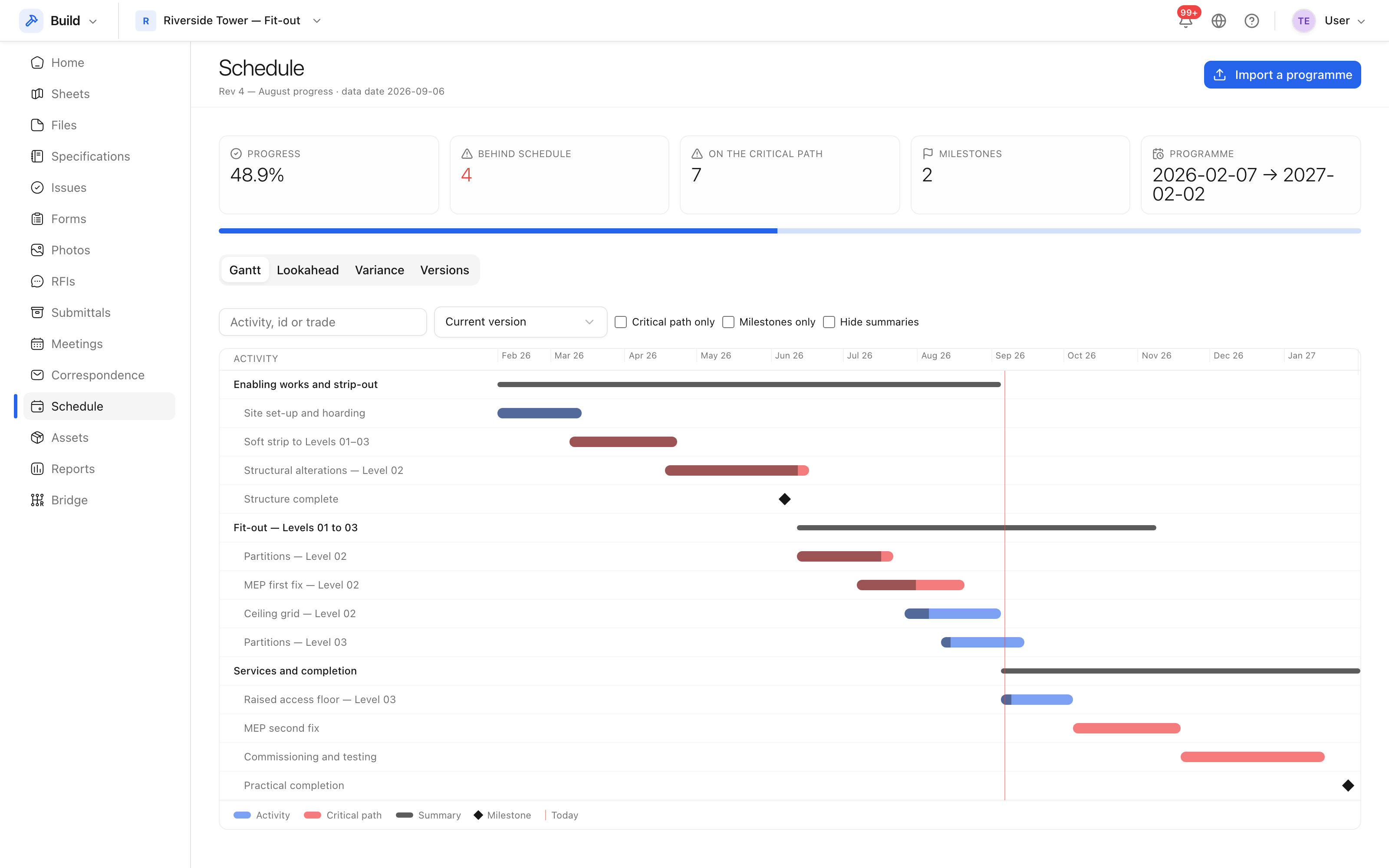 Activities down the side, time across the top, progress shown on the bar.
Each bar runs from the activity's start to its finish, with the completed proportion shown along it. Summary rows roll their children up, so collapsing the tree gives you the shape of the job in a dozen lines.
Summaries, milestones and the critical path
| Marked | Means |
|---|---|
| Summary | A parent row holding other activities; its dates are derived |
| Milestone | A point in time with no duration — "Structure complete" |
| Critical | Zero or negative float: slipping it slips the end date |
The critical activities are the ones to read first. An activity that is behind but has three weeks of float is a note; a critical one that is behind is the meeting.
The look-ahead
The look-ahead tab answers the question a site meeting actually asks: what is starting and finishing in the next few weeks. Set the number of weeks and it lists the activities that fall in that window.
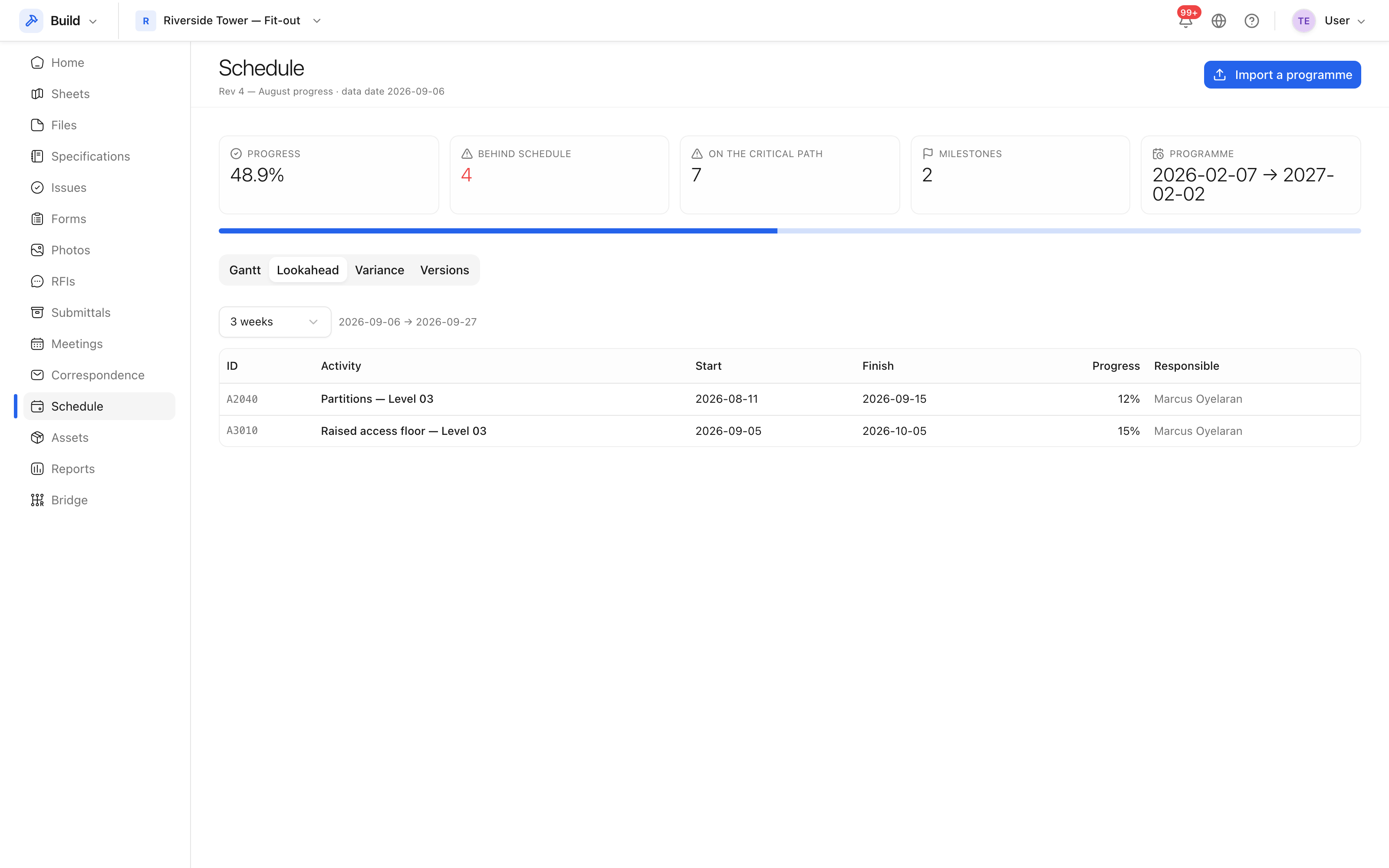 The next few weeks of the programme, as a list rather than a chart.
Use the search and filters to cut it to one area or one trade before a subcontractor meeting.