
The portfolio tab steps back from one job to all of them: every project in the workspace you have access to, side by side.
This topic includes:
What it shows
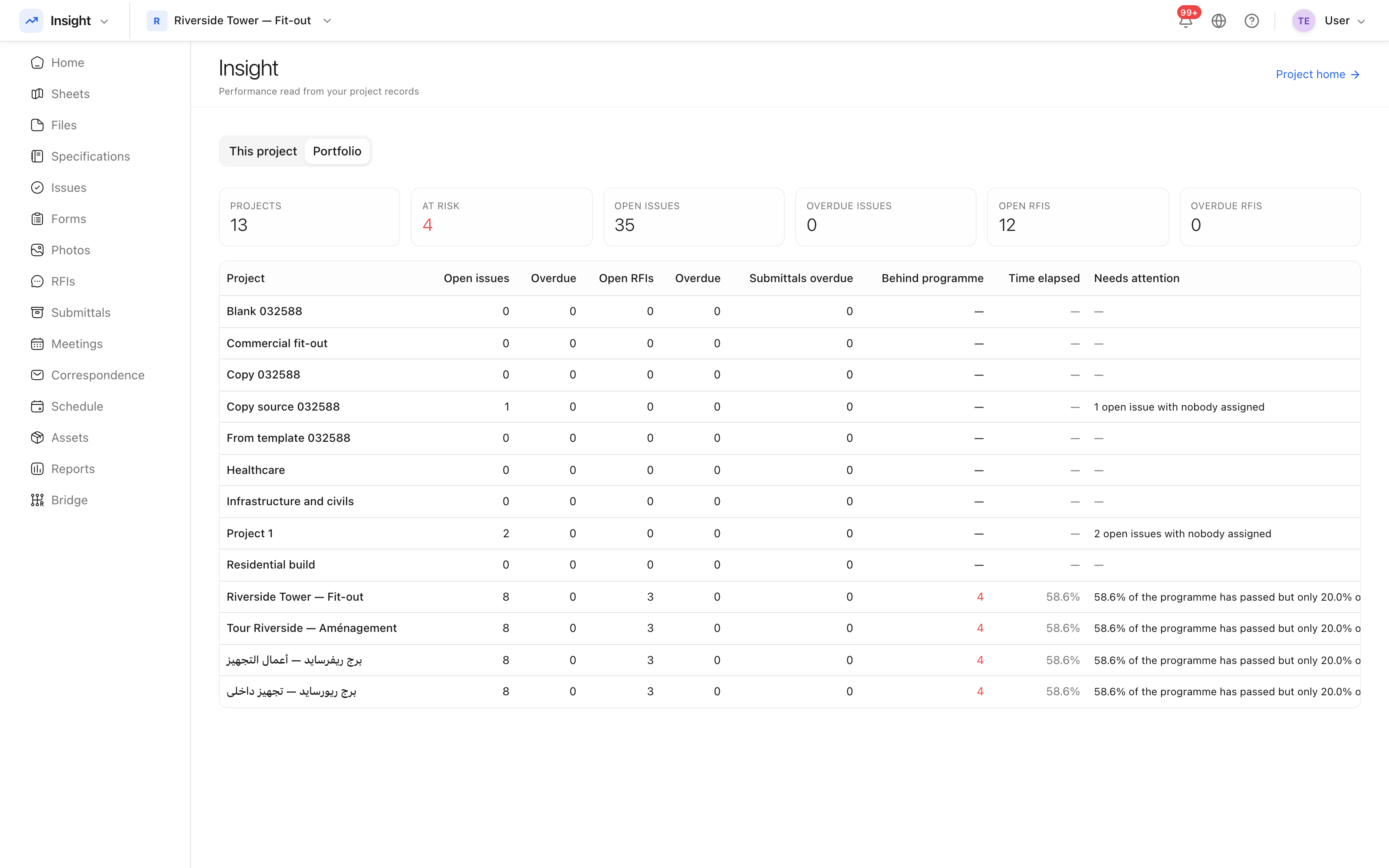 Every project you can see, with its headline figures on one row.
Each project contributes one row: progress against its dates, open issues, outstanding questions, and its cost position. It is the screen for the person who runs several jobs rather than one.
Comparing projects
Projects are not directly comparable in absolute terms — a hundred open issues on a tower is not the same as a hundred on a fit-out. What compares usefully is the shape: a project where time elapsed has run well ahead of work completed is behind, whatever its size.
Who sees what
The portfolio only ever shows projects you are a member of. It is not an account-wide report, and adding somebody to the portfolio means adding them to the projects — see Add project members.