
There are two lists of people, and knowing which is which answers most access questions.
This topic includes:
The two lists
| List | Who is on it | Where |
|---|---|---|
| Workspace members | Everybody who can be added to any project | Settings → Members |
| Project members | The team on one job, each with a role | Projects → Members |
Being a workspace member gives no access to any project on its own. Being a project member is what grants access, and the role attached to it is what decides how much.
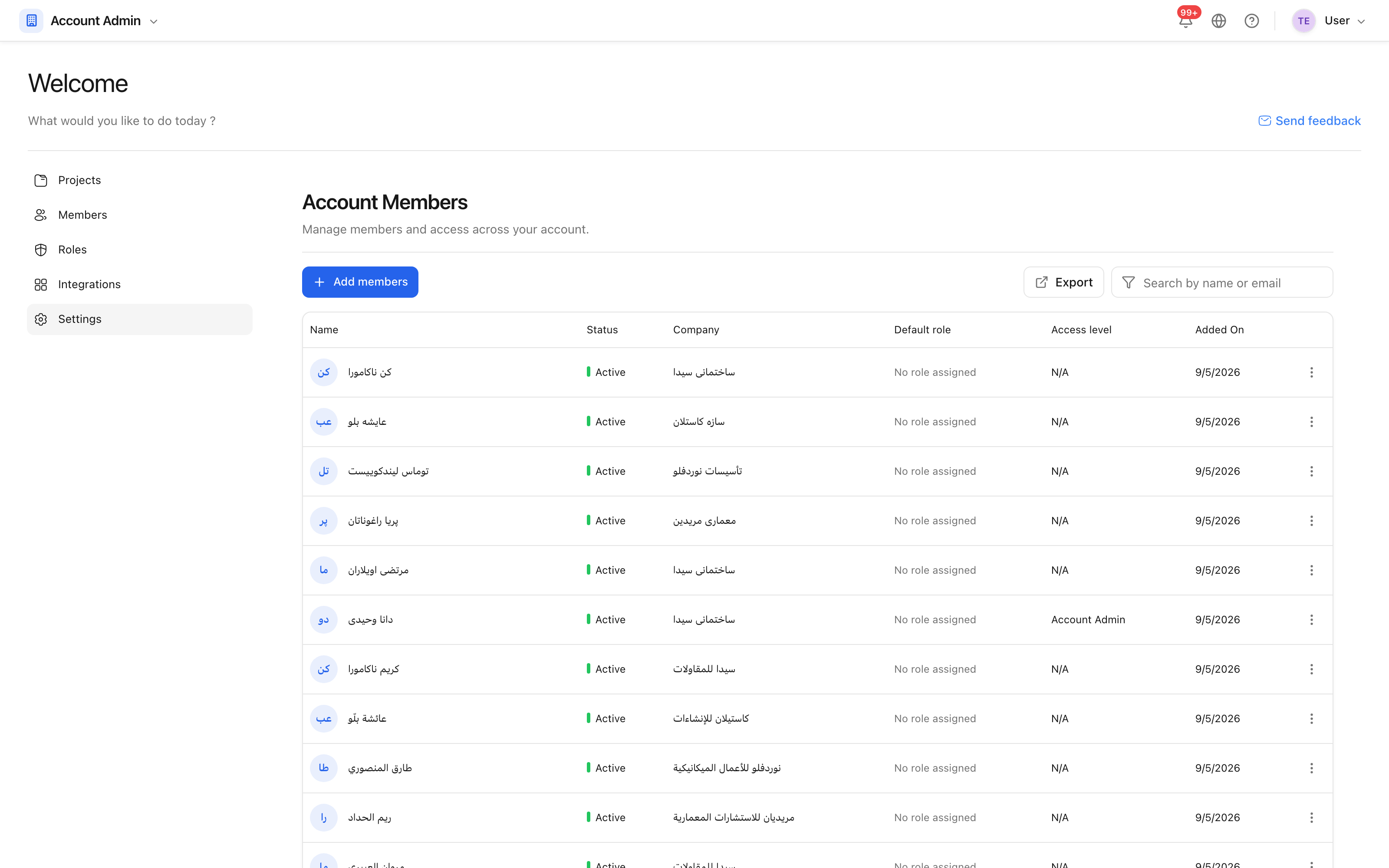 Everybody in the workspace, and whether they administer it.
Add somebody to the workspace
Invite them by email address. They receive an invitation, set a password, and appear in the member list. Then add them to the projects they work on — see Add project members.
An account administrator can manage the workspace itself: its projects, its members, its roles and its plan. Keep the number of them small and deliberate.
Removing people
Removing somebody from a project takes their access to that job away and leaves what they created in place — their issues, their photographs and their minutes stay, attributed to them.
Removing them from the workspace takes away every project at once. Do that when somebody leaves the company; do the per-project removal when they simply move to another job.