
The plan belongs to the workspace and sets what it is allowed: how many active projects, and how many sheets can be published.
This topic includes:
See where you stand
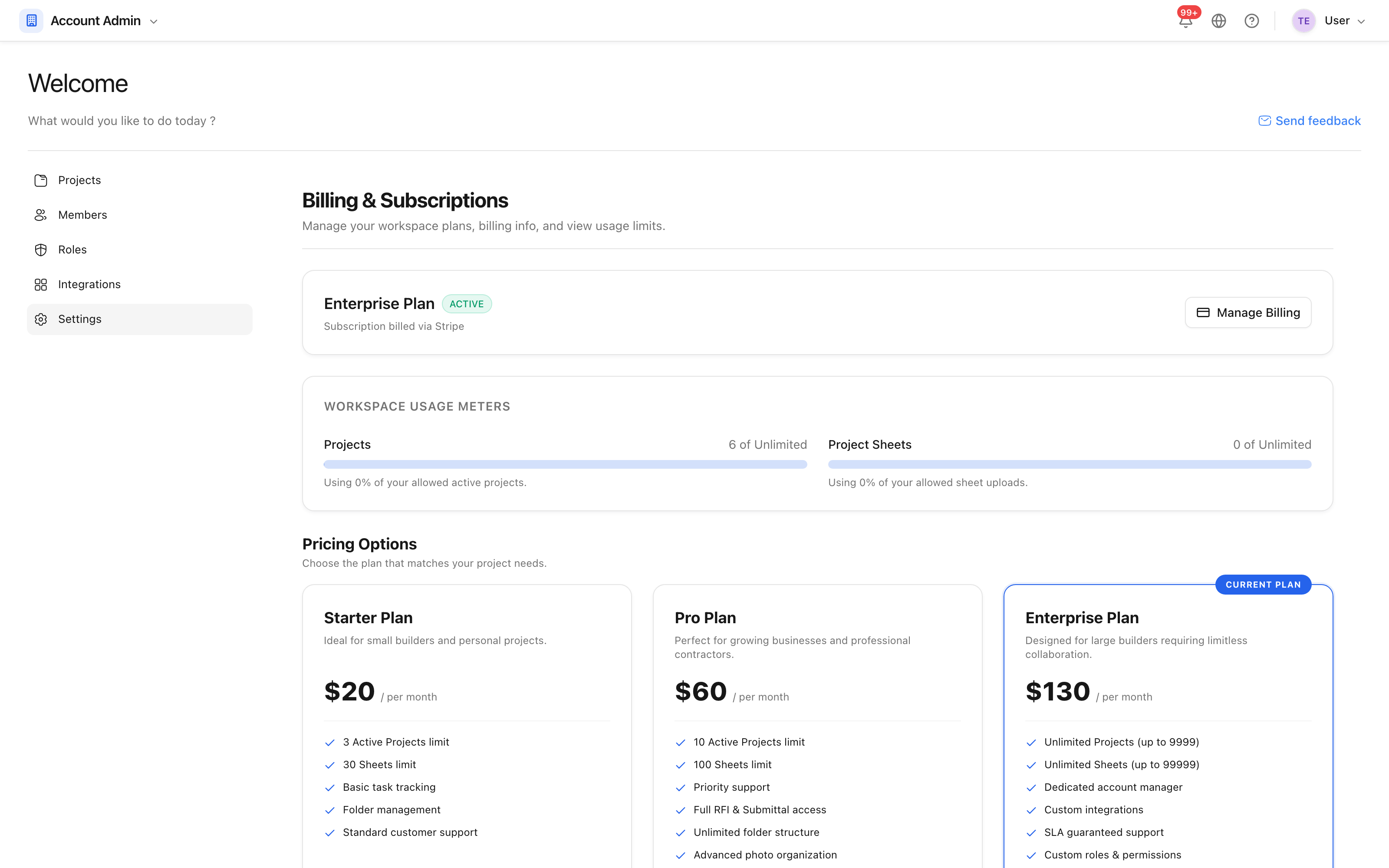 The current plan, what it allows, and how much of it is being used.
The usage meters are the part to read: they show active projects and published sheets against the plan's limits. A project marked complete stops counting towards the active project limit, which is often the cheapest way to make room.
Change plan
Choose a plan and follow the checkout. Payment is handled by Stripe — card details are entered on their pages and are never held by SIDABuild. The new limits apply as soon as the payment goes through.
Manage the subscription
Manage billing opens the customer portal, where invoices, the payment card and the cancellation are all handled. The renewal date shown on this screen is the date the current period ends.
Cancelling stops the renewal; it does not delete the workspace or its projects. The workspace drops back to the free tier's limits at the end of the period.