
SIDABuild is published in English, French, Arabic and Persian. Arabic and Persian are laid out right to left, and the whole interface mirrors — menus, tables, icons and all.
This topic includes:
- Change your language
- Account preference and device preference
- What gets translated
- Units, dates and numbers
Change your language
Two places do it:
- The globe in the top bar changes the language on this device, immediately.
- Settings → Preferred language saves it to your account.
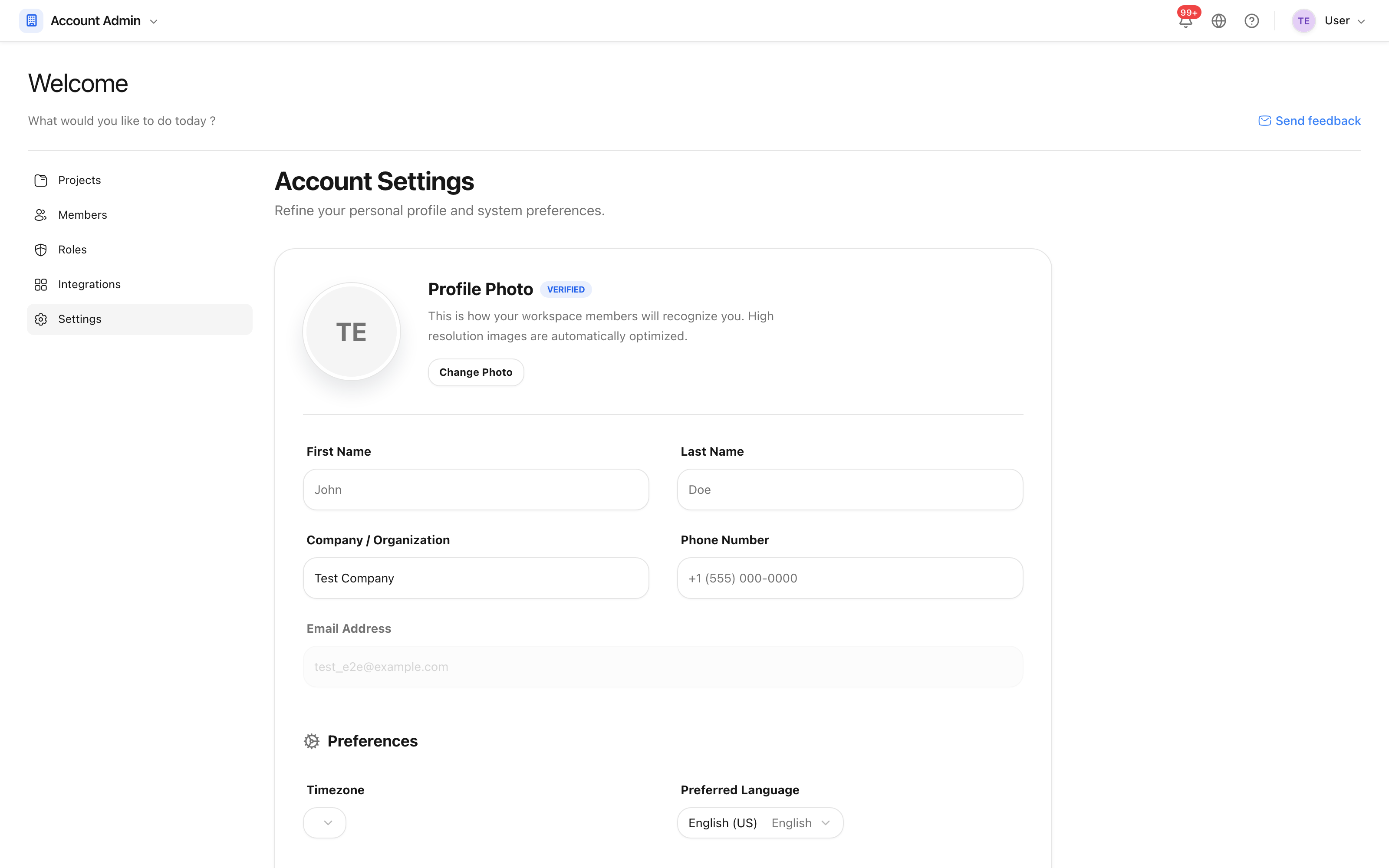 The preferred language, saved against your account.
Each language is named in its own script in the list, so somebody who cannot read the current interface can still find theirs.
Account preference and device preference
The account preference wins. The device setting exists for a shared site tablet, where the person picking a language is often not the account owner — it changes what is on screen without changing anybody's saved preference.
What gets translated
The interface, the help centre, and the messages the server sends back — including validation errors and notification emails. What is not translated is the content of your project: an issue written in English stays in English, whoever reads it.
Reports are the exception in the useful direction: a report can be produced in a different language from the one you are working in. See Create a report.
Units, dates and numbers
Units — metric or imperial — are a property of the project, not of you, so a
project reads the same to everybody on it. Dates and numbers follow your
language: the same date is shown as 6 September 2026, 6 septembre 2026 or
۱۵ شهریور ۱۴۰۵ depending on who is looking.