
Cost settings configure the module for your project: the currency it works in, the code structure, and which optional behaviours are switched on.
This topic includes:
What is here
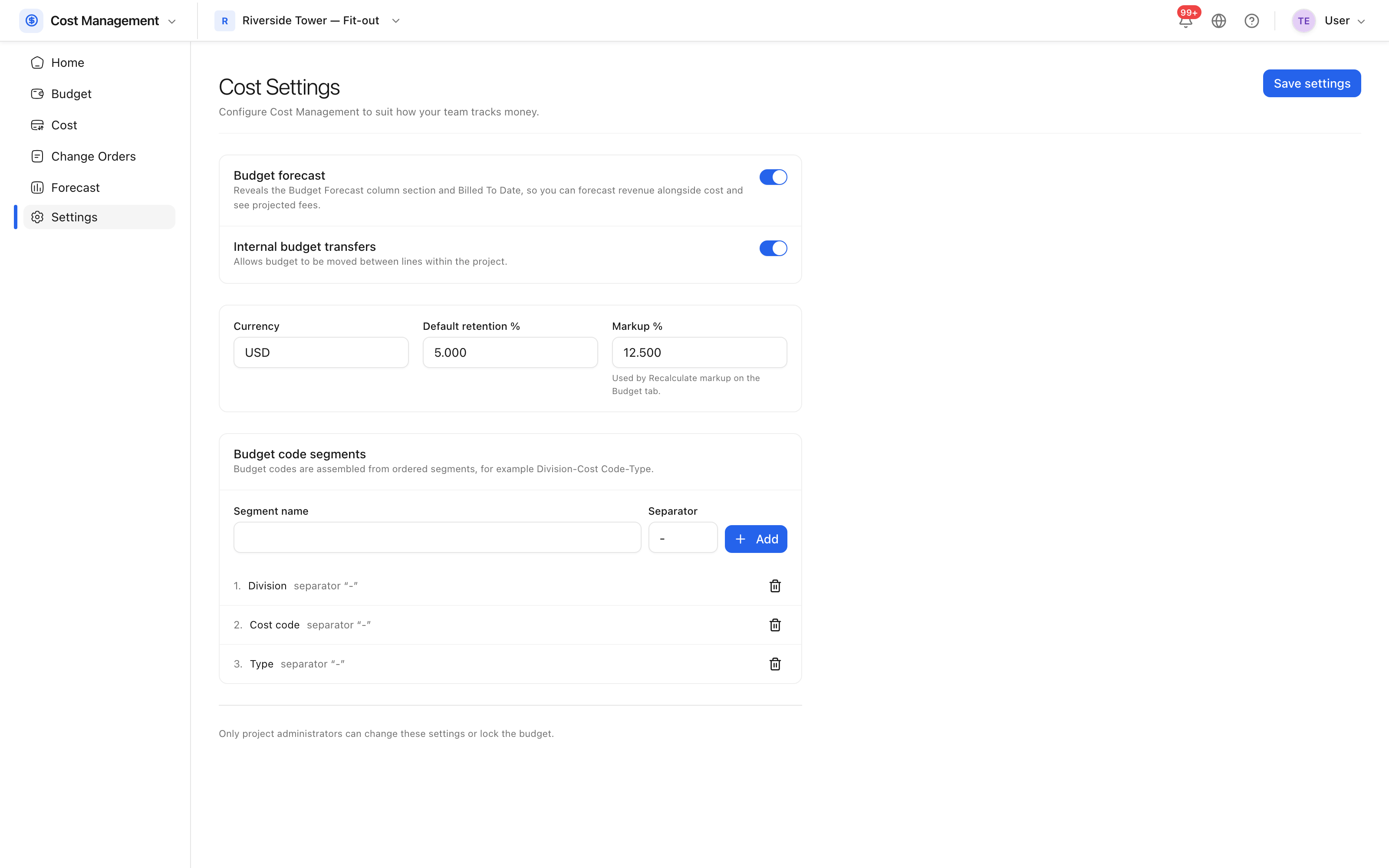 Currency, retention, markup and the budget code structure.
| Setting | Does |
|---|---|
| Currency | The currency every figure is shown in |
| Retention percent | The default retention applied to contracts |
| Markup percent | The formula "recalculate markup" applies |
| Budget forecast | Reveals the forecast columns and billed-to-date |
| Internal transfers | Allows money to be moved between budget lines |
Budget code segments
Segments define the shape of every budget code — for example division, cost code and type, joined by a hyphen. Set them before entering the budget: changing the structure once codes exist means recoding the budget.
Options worth understanding
Internal transfers let money move between budget lines without a change order. That is right when the budget was allocated wrongly and wrong when the scope actually changed — the second is a change order, and transferring instead hides it.
Locking the budget is done from the budget itself and cannot be undone. Do it once the budget is agreed, not before, and not on a project where the budget is still being loaded.