
The budget is the spine of Cost Management. Every contract, change and forecast hangs off a budget line, so it is the thing to get in place first.
This topic includes:
Budget codes
A budget code is assembled from segments you define — typically division, cost code and type, joined with a separator. Set the segments up before entering lines, in Cost settings, so every code that follows has the same shape.
Add budget lines
Each line carries a code, a name, a quantity, a unit and a unit cost; the amount is the quantity times the unit cost. Lines nest, and a parent's totals are the sum of its children.
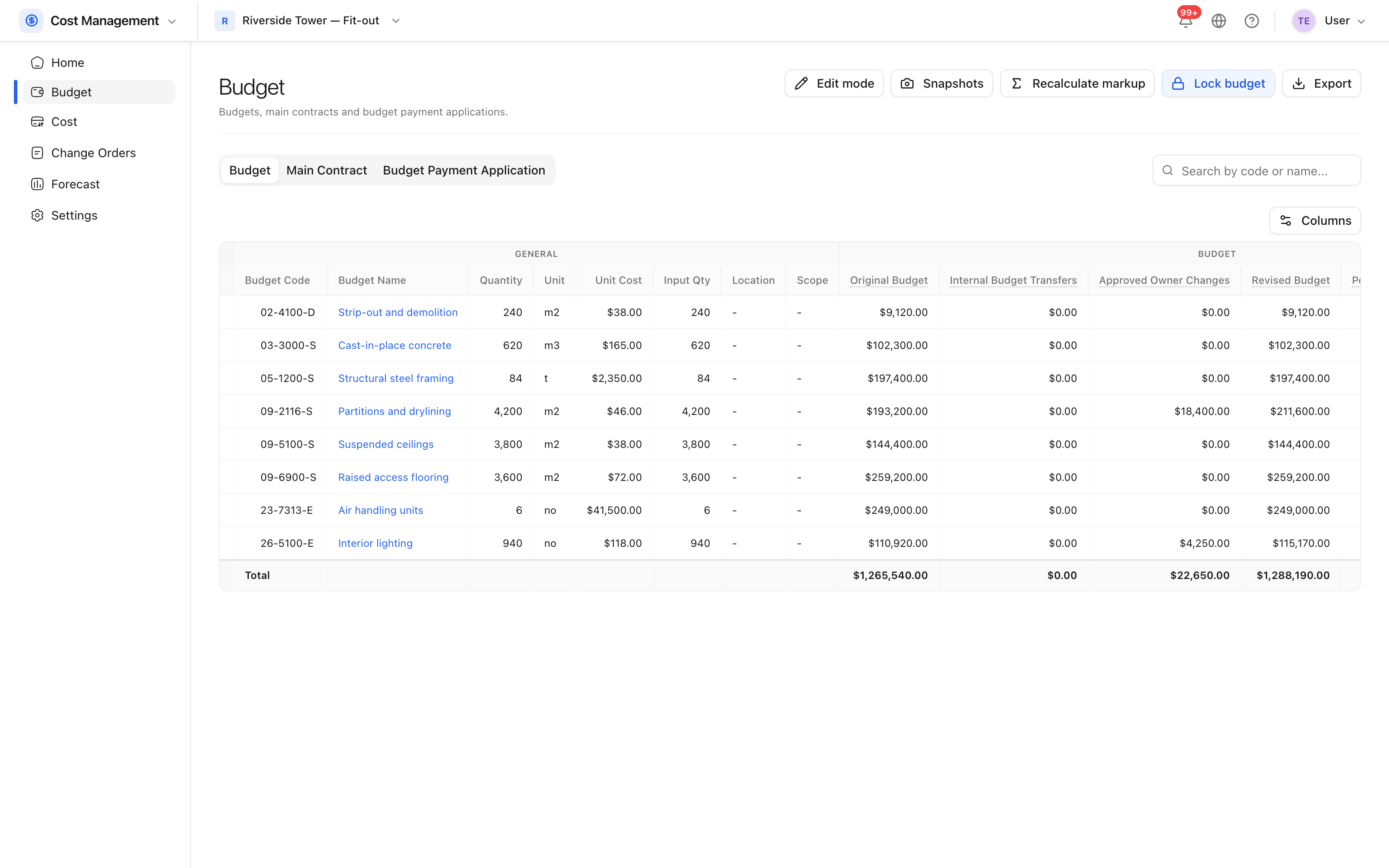 Budget lines with their codes, quantities and amounts.
Import the budget where it already exists as a spreadsheet, and export it the same way for anybody who needs it outside the product.
What the columns mean
| Column | Means |
|---|---|
| Original budget | What was allowed at the outset |
| Internal budget transfers | Money moved to or from this line without a change |
| Approved owner changes | Cost items the client has approved |
| Pending owner changes | Cost items submitted but not yet approved |
| Revised budget | Original, plus transfers, plus approved changes |
| Approved change orders | Approved commitments on the cost side |
| Actual cost | Spent — approved expenses and payments |
| Projected cost | What this line is expected to finish at |
| Variance | Projected budget against projected cost |
The column that matters is variance: the projected budget against the projected cost, line by line. That is the over- or underspend, and it is what a cost report is really about.
Not every column is on by default. Columns chooses which are shown, and the budget-forecast columns appear only when forecasting is switched on in Cost settings.
Locking the original budget
Once the budget is agreed, an administrator can lock it. Locking is one-way: the original figures stop being editable, and changes must go through change orders from then on. That is the point — an original budget that can be quietly edited is not a baseline.