
Projects → Settings holds the facts about the job itself: what it is called, where it is, when it runs, and what units it is measured in.
This topic includes:
Edit the project details
- Open Projects → Settings.
- Change what you need to.
- Click Save settings. The change takes effect immediately, across every tool that reads it.
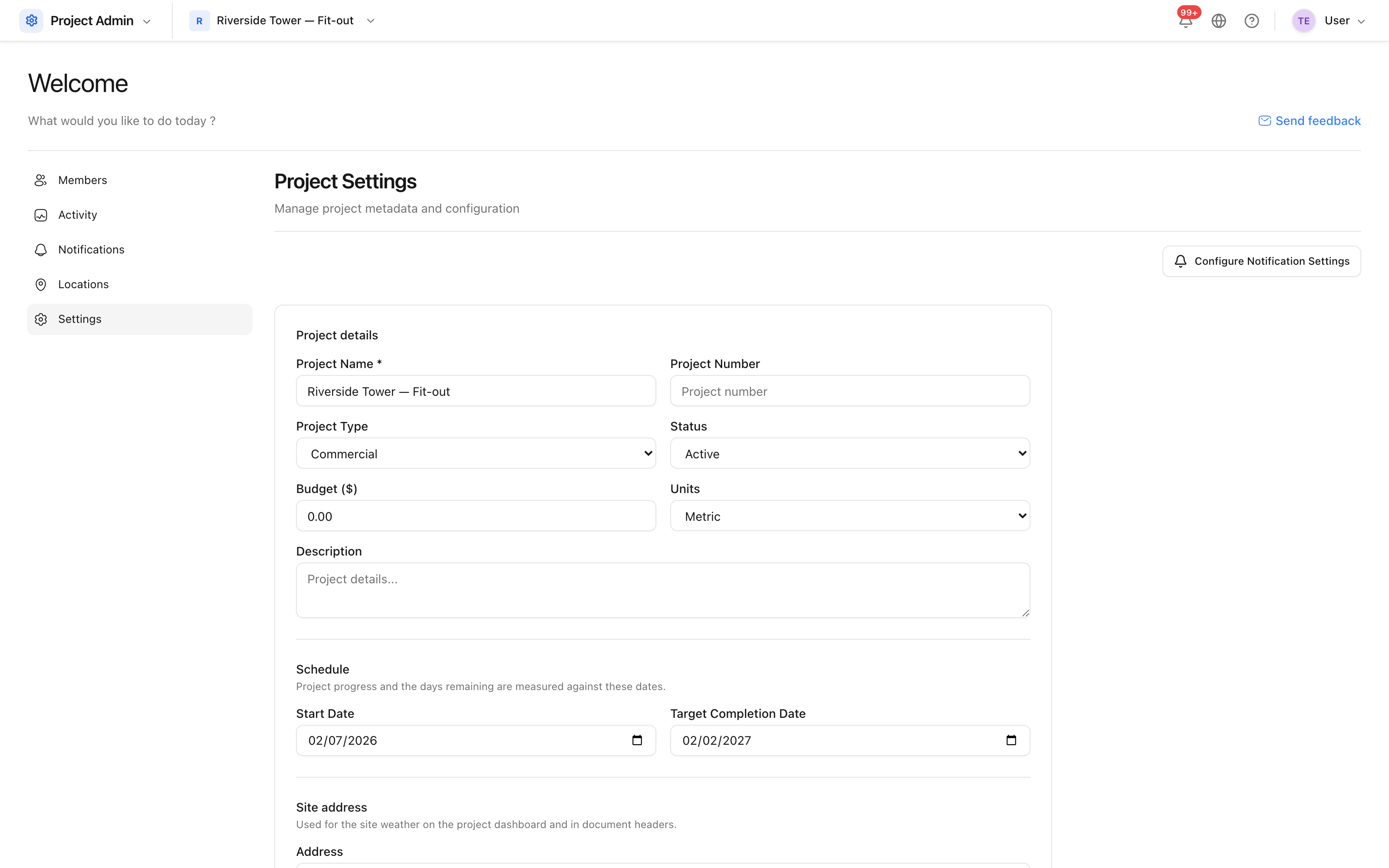 The project's own record: name, number, address, dates, budget and units.
What each field affects
| Field | What it changes |
|---|---|
| Project name | The title everywhere, including reports and notification emails |
| Project number | Shown beside the name in the project selector |
| Project type | Groups projects in the portfolio view in Insight |
| Site address, city, country | Report headers, and the weather panel on the project home |
| Budget | The reference figure Cost compares against |
| Units | Whether the product shows metres or feet, everywhere |
| Start and target completion dates | The progress bar, and the time-elapsed figure Insight reports on |
Changing units does not convert numbers that were typed in already — it changes the labels shown against them. Settle the units before quantities are entered.
Dates and status
The end date cannot be earlier than the start date; the form refuses the combination rather than saving something that would make progress meaningless.
Status marks whether the project is active, on hold or complete. A project that is no longer running is better marked complete than deleted: the record stays readable, and it drops out of the active count on your plan.