
An issue moves through a fixed set of statuses. They are the same on every project, so a report reads the same way whoever produced it.
This topic includes:
The statuses
| Status | Means |
|---|---|
| Open | Raised, not yet being worked on |
| In-Progress | Somebody is doing something about it |
| Ready to Inspect | The work is done and is waiting to be checked |
| Not Approved | It was inspected and rejected — back to the trade |
| Approved | Inspected and accepted |
| Closed | Finished with, and counted as resolved |
| Void | Raised in error; kept for the record but not counted |
Void is the one worth understanding. Use it for an issue that should never have been raised — a duplicate, or a defect that turned out to be someone else's scope. Voiding keeps the record without letting it distort the counts, which deleting would hide entirely.
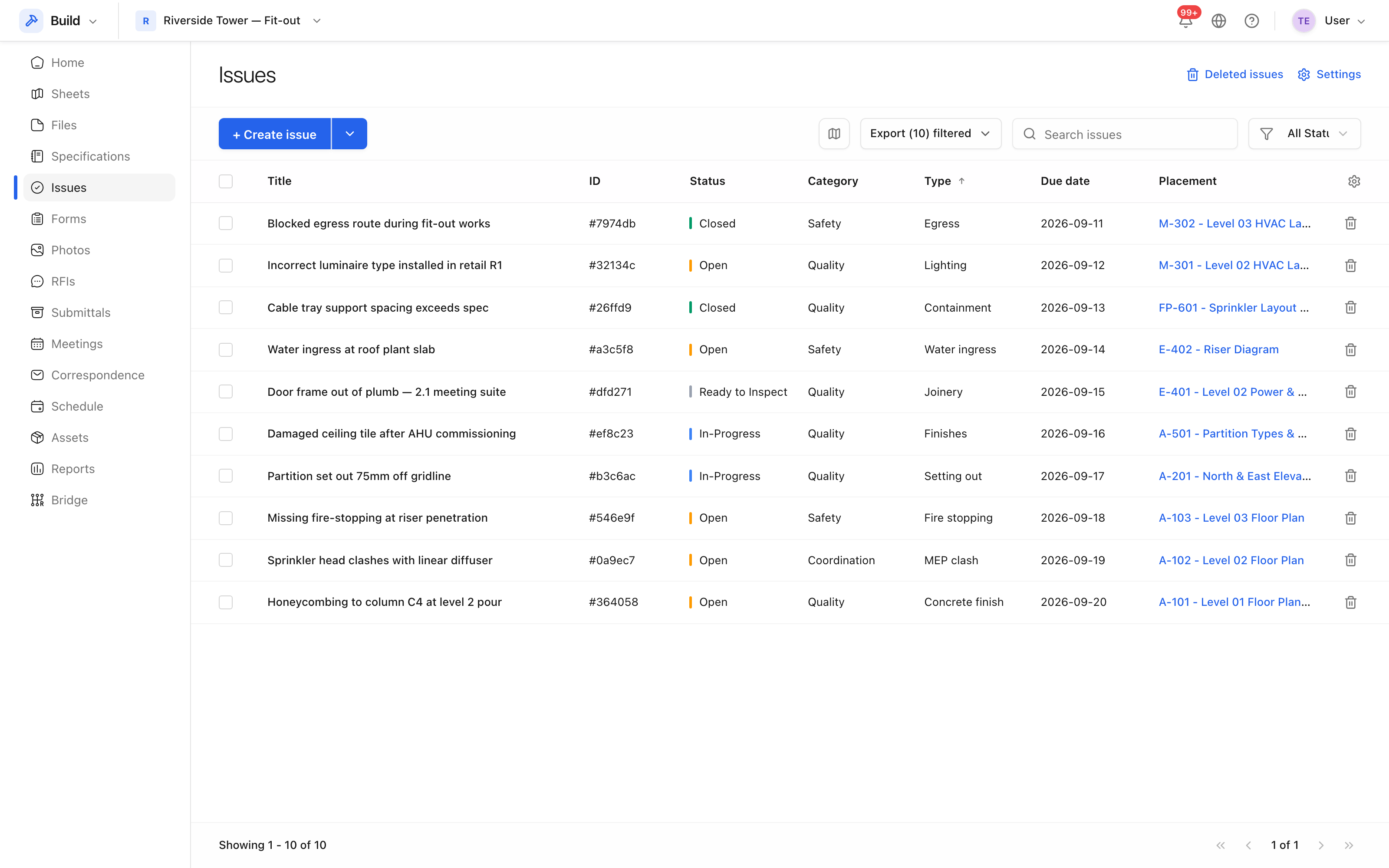 Status is shown against every row and is what the filters cut on.
A typical route through them
Open → In-Progress → Ready to Inspect → Approved → Closed.
Where an inspection fails, the route loops: Ready to Inspect → Not Approved → In-Progress, and round again. That loop is deliberate — the number of times an issue goes round it is one of the more useful things a project can measure.
Priority is a separate question
Status is where it has got to; priority is how much it matters. The four priorities are Low, Normal, High and Critical. A Critical issue that is Closed needs no attention; a Low one that has been Open for three months might.