
Raising an issue is the easy half. This is the other half: getting it in front of the right person, following it, and closing it with a record of what was done.
This topic includes:
Open an issue
Click the issue in the list. The detail screen shows everything recorded against it, and is where the work of resolving it is logged.
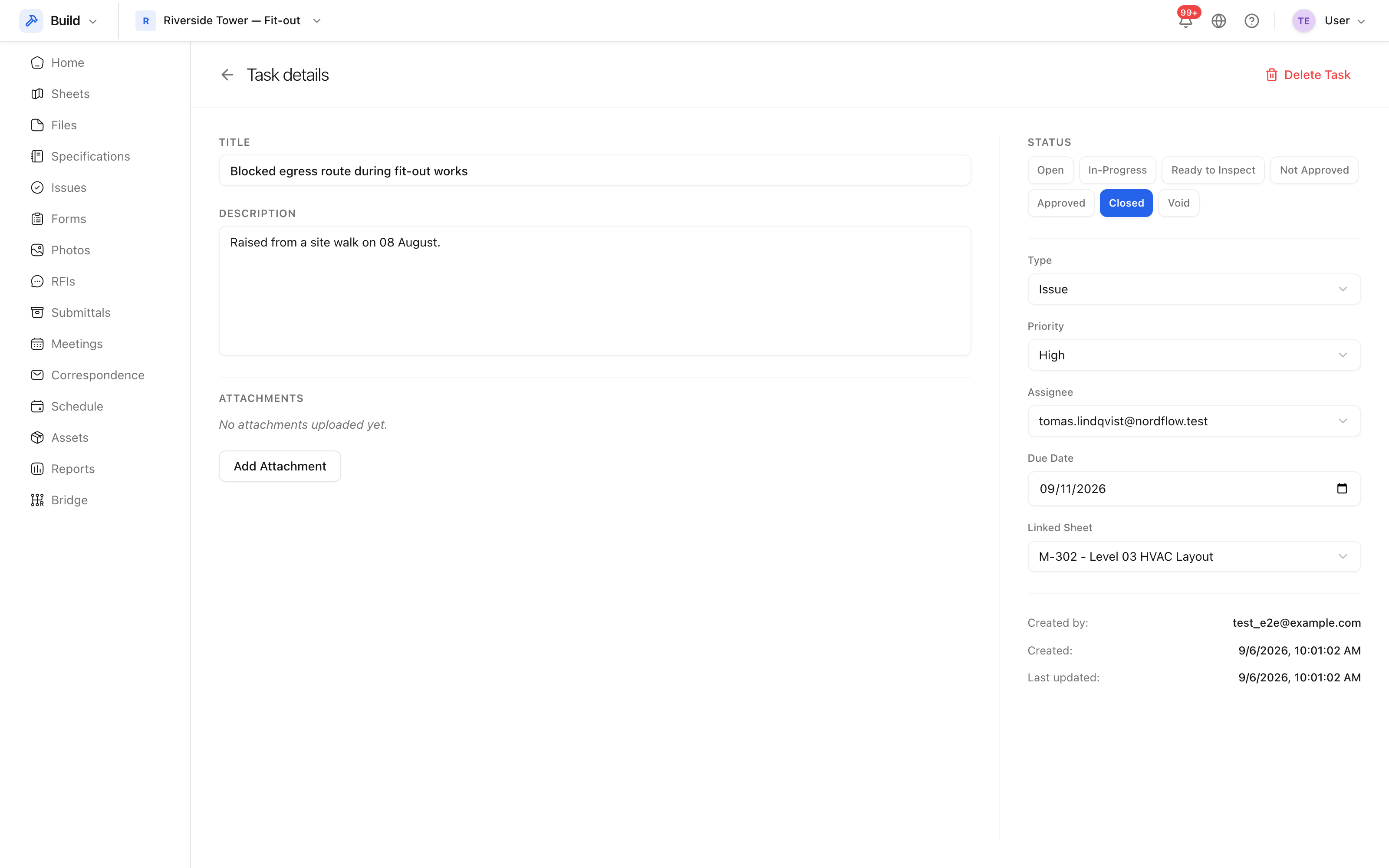 Title, description, status, priority, assignee, dates and attachments.
What you can change
| Field | Use it for |
|---|---|
| Status | Where the issue has got to |
| Priority | Low, Normal, High or Critical — what to do first |
| Assignee | The one person answerable for it |
| Due date | What the assignee is working to |
| Linked sheet | The drawing the issue is about |
| Attachments | Photographs, a manufacturer's letter, a test result |
Assign to a person, not a company. An issue assigned to "the mechanical subcontractor" belongs to nobody, and nothing is notified.
Close it
Set the status to closed once the work has been done and checked. Before you do:
- Attach the evidence — usually a photograph of the completed work.
- Check the root cause is recorded, if your project uses them. A closed issue with no cause teaches the next project nothing. See Issue root causes.
Watchers are notified when the status changes, so closing an issue tells the people following it without an email being written.
Reopen or delete
An issue closed too early can be set back to open — the history stays. Deleting is different: it removes the issue from the register, and it goes to the project's recycle bin, from where it can be restored for a limited time.